Touchscreens: How They Work & The Science Behind Them
Ever wonder how touchscreens work? Explore the magic behind capacitive & resistive tech. Plus, troubleshooting and future trends!

Touchscreens have revolutionized how we interact with technology. From smartphones to tablets, and even some laptops, these ubiquitous interfaces allow us to control devices with a simple tap, swipe, or pinch. But have you ever stopped to wonder how touchscreens work? This article delves into the fascinating science behind these intuitive technologies, exploring the core principles that make modern touch interactions possible.
We'll unpack the two dominant types of touch screen technology explained today – capacitive and resistive – and explore their unique mechanisms, advantages, and limitations. We'll also touch upon the history of touchscreens and examine some common issues and solutions when your phone touchscreen not working or your ipad screen touch not working. Get ready to uncover the magic that turns your touch into a digital command!
The Evolution of Touchscreen Technology: A Brief History
Before diving into the nitty-gritty, let's take a quick look at how touchscreens evolved. The idea of a touch-sensitive display isn't new. While the first practical touchscreen is often credited to E.A. Johnson in 1965, the technology gained considerable momentum through the 70's and 80's with devices on the market using different methods.
However, it wasn't until the advent of smartphones that touchscreens truly took center stage, forever changing how we interact with our devices. From the early PDAs to the first touchscreen smartphone, the evolution has been rapid and transformative. While pinpointing the explicit first touchscreen phone is tricky, as capabilities evolved, the 1st touchscreen smartphone that truly popularized the technology was arguably the Apple iPhone. These advances paved the way for enhanced user interfaces that are commonplace today, using touch screen interface technology.

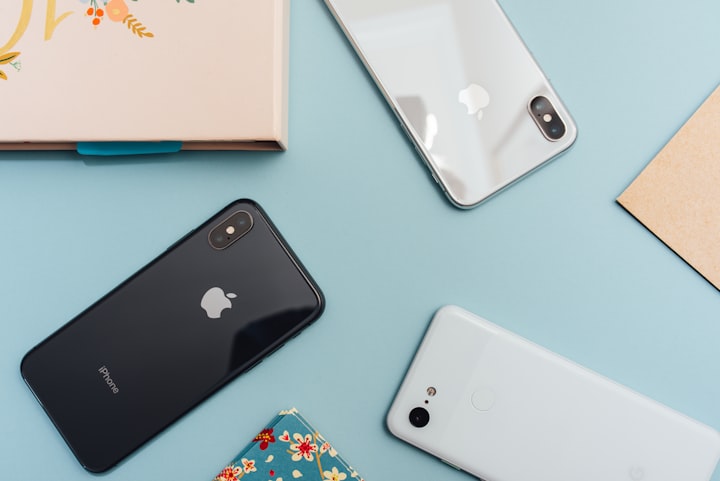
Image by Jonas Leupe on Unsplash
Understanding the Basics: How Does a Touch Screen Work?
At its core, a touchscreen is a display device that detects and responds to touch. But how do touchscreens work exactly? The answer lies in a combination of hardware and software working in harmony. The touchscreen itself is layered, with a touch-sensitive surface overlaid on a display. When you touch the screen, the device detects the location of your touch and translates it into a command.
The technology differentiating touchscreens lies mainly in how the touch is detected. The most prevalent methods are resistive and capacitive, each with its own distinct way of registering your touch. For a broader context, it's worth contrasting where this technology stands against other advancements; for example, analyzing the Nvidia CES 2025 ALL Explained offerings can give you an interesting point of comparison.
Resistive Touchscreens: Pressure-Sensitive Precision
Resistive touchscreens were among the earliest forms of the technology widely adopted and still have a niche today. They are characterized by their reliance on physical pressure to register a touch.
How Resistive Touchscreens Function
A resistive touchscreen consists of two layers of electrically conductive material, typically indium tin oxide (ITO), separated by a thin gap. When you press down on the screen, the two layers are forced into contact, creating an electrical connection. The device then detects the coordinates of that contact point.
Advantages of Resistive Touchscreens
- Low Cost: One of the biggest advantages of resistive touchscreens is their relative affordability. They are cheaper to manufacture compared to capacitive screens.
- Accuracy: Resistive screens offer a high degree of precision, making them suitable for applications where accuracy is crucial, such as signature capture or detailed drawing.
- Versatility: Resistive touchscreens can be operated with almost any object – a finger, a stylus, or even a gloved hand. This makes them ideal for industrial or medical settings where gloves are often required.
Disadvantages of Resistive Touchscreens
- Lower Image Clarity: The multiple layers of material can reduce image clarity and brightness compared to capacitive screens.
- Durability: Resistive screens are more susceptible to damage from scratches and wear and tear due to the pressure-sensitive layers.
- Multi-touch Limitations: While some resistive touchscreens can support multi-touch, they are generally not as responsive or accurate as capacitive screens in this regard.
Where Resistive Touchscreens Shine
Despite their limitations, resistive touchscreens remain relevant in specific applications. You'll often find them in:
- Point-of-sale (POS) systems: Their accuracy and ability to be used with a stylus make them ideal for retail environments.
- Industrial equipment: The ability to use them with gloves is a significant advantage in manufacturing and other industrial settings.
- Medical devices: Similar to industrial, healthcare also uses gloves and they are acceptable.

Image by Luke Chesser on Unsplash
Capacitive Touchscreens: The Dominant Force
Capacitive touchscreens have become the dominant technology in modern smartphones and tablets, thanks to their responsiveness, clarity, and multi-touch capabilities.
How Capacitive Touchscreens Function
Capacitive touchscreens use a layer of transparent conductive material, such as indium tin oxide (ITO), coated on a glass or plastic surface. This layer creates an electrostatic field on the screen. When you touch the screen with your finger (which conducts electricity), you draw some of the charge to the point of contact. Sensors in the screen detect this change in capacitance and calculate the location of your touch.
There are two primary types of capacitive touchscreens:
- Surface Capacitive: This older technology uses a uniform conductive layer. While simple, it's less common due to its inability to accurately support multitouch.
- Projected Capacitive (PCAP): This more advanced technology uses a grid of conductive lines to create a more precise electrostatic field. PCAP screens can accurately detect multiple touch points, enabling multi-touch gestures like pinch-to-zoom.
Advantages of Capacitive Touchscreens
- High Image Clarity: Capacitive screens offer excellent image clarity and brightness due to the single-layer design.
- Responsiveness: They are highly responsive to light touches, providing a smooth and fluid user experience.
- Multi-touch Capabilities: Capacitive screens excel at multi-touch, making them ideal for complex gestures and interactive applications.
- Durability: They are generally more durable than resistive screens, with a scratch-resistant glass surface.
Disadvantages of Capacitive Touchscreens
- Cost: Capacitive screens are typically more expensive to manufacture than resistive screens.
- Glove Incompatibility: Standard gloves typically prevent capacitive touchscreens from registering touches since they block the electrical conductivity between your finger and the screen. While specialized gloves exist, they add extra cost.
- Water Interference: Water droplets on the screen can sometimes interfere with the capacitive field, leading to inaccurate touch detection.
Where Capacitive Touchscreens Reign Supreme
Capacitive touchscreens are the go-to choice for:
- Smartphones and tablets: Their responsiveness, clarity, and multi-touch capabilities are essential for the modern mobile experience.
- Laptops and monitors: Many modern laptops and monitors now feature capacitive touchscreens for enhanced interactivity.
- Interactive kiosks: Capacitive screens provide a smooth and engaging user experience for self-service kiosks in retail and public spaces.
Did you know that the advancements in displays allow for improved resolution and user experience? It might be worth reading the Samsung Galaxy Tab S9 Ultra article to further explore these qualities.
Capacitive vs Resistive Touch: A Head-to-Head Comparison
To summarize, here's a comparison table highlighting the key differences between capacitive and resistive touchscreens:
| Feature | Resistive Touchscreen | Capacitive Touchscreen |
|---|---|---|
| Touch Mechanism | Pressure-based, physical contact between two layers | Capacitance-based, detects changes in electrical field |
| Image Clarity | Lower | Higher |
| Responsiveness | Lower | Higher |
| Multi-touch | Limited | Excellent |
| Durability | Lower | Higher |
| Cost | Lower | Higher |
| Input Method | Finger, stylus, gloved hand | Finger (bare or specialized glove), capacitive stylus |
| Common Use Cases | POS systems, industrial equipment, medical devices | Smartphones, tablets, laptops, interactive kiosks |
Understanding capacitive vs resistive touch is crucial when selecting a touchscreen for a specific application. The choice hinges on prioritizing cost, durability, input method, and desired user experience.
Troubleshooting Touchscreen Issues: What to Do When Your Touchscreen Isn't Working
Despite their sophistication, touchscreens can sometimes encounter problems. If you find your touch screen not working, phone touch screen not working samsung, or phone touchscreen not working, here are some troubleshooting steps you can try:
- Clean the Screen: Dirt, smudges, and grime can interfere with touch detection. Use a soft, lint-free cloth to gently clean the screen.
- Restart Your Device: A simple restart can often resolve temporary software glitches that may be causing the issue.
- Remove Screen Protector: A damaged or poorly installed screen protector can sometimes interfere with touch sensitivity.
- Check for Updates: Ensure your device's operating system is up to date. Software updates often include bug fixes and performance improvements.
- Calibrate the Touchscreen: Some devices allow you to calibrate the touchscreen for improved accuracy. Check your device's settings for this option.
- Hardware Issue: If none of the above steps work, it's possible there's a hardware issue with the touchscreen itself. In this case, you may need to contact a repair professional. If it's an ipad screen touch not working or touch screen not working iphone, consider contacting Apple support.
Important Note: If you realize that the touch screen of phone not working occurs after physical damage (like dropping your phone), you most likely will need a technician to physically repair pieces of the phone.

Image by Windows on Unsplash
The Future of Touchscreen Technology
Touchscreen technology continues to evolve at a rapid pace. Innovations like foldable displays, under-display sensors, and advanced haptic feedback are pushing the boundaries of what's possible. Haptic feedback explained is the use of "touch" to communicate. It involves vibration and motion to create a better user experience. In line with user experience enhancements, it's worth looking at how smart devices are merging with haptic technology, and you can explore further in Smart Home devices CES 2025.
We can expect to see even more sophisticated and intuitive touch interfaces in the years to come, further blurring the line between the digital and physical worlds.
Conclusion
Understanding how touchscreens work provides a fascinating glimpse into the intersection of physics, engineering, and user experience. From the pressure-sensitive precision of resistive screens to the capacitive responsiveness of modern smartphones, these technologies have transformed how we interact with devices. As innovation accelerates, we can anticipate even more exciting developments in the world of touch-based interfaces, promising a future where technology is even more intuitive and seamless.
Don't just touch – understand! Share this article and spark a conversation about the technology that powers our digital lives. What are your predictions for the future of touchscreens? Let us know in the comments below!
FAQ Section: Your Touchscreen Questions Answered!
Q: What's the big difference between capacitive touch vs resistive screens, explained in simple terms?
A: Imagine a light switch (capacitive) versus a doorbell (resistive). A light switch only needs a tap, while a doorbell needs you to press it. Capacitive screens are like light switches, responding to a light touch, while resistive screens are like doorbells, needing a bit of pressure.
Q: Can I use a regular pen on a capacitive touchscreen?
A: Sadly, no. Capacitive screens rely on electrical conductivity, and regular pens are typically made of non-conductive materials. You'll need a special capacitive stylus, which mimics the electrical properties of your finger. Trying to use a regular pen could even scratch your screen, and we definitely don't want that!
Q: My phone screen touch not working – am I doomed?
A: Not necessarily! Try the basic troubleshooting steps mentioned earlier: clean the screen, restart your phone, and remove the screen protector. If those don't work, you can check if your device has settings dedicated to fixing the phone touch screen not working samsung, or other brands. If all else fails, it might be time to consult a professional.
Q: Is it true that the world first touch screen mobile phone was a complete flop?
A: The idea of the 1st touch screen phone being a flop isn't entirely true, while it might not have taken the world by storm due to limitations, its importance stands as a significant milestone. It paved the way for future innovation. Early touchscreen phones had clunky interfaces and limited features, but they sowed the seeds for the sleek, intuitive devices we have today.
Q: Why does my touch screen not working phone sometimes act up when it's cold?
A: Extreme temperatures can affect the conductivity of the materials in your touchscreen, especially capacitive screens. Cold weather can reduce the screen's sensitivity, making it harder to register touches accurately. Luckily, this is usually temporary, and your screen should return to normal once it warms up.
Q: What's haptic feedback explained, for dummies?
A: Think of haptic feedback as your phone giving you a little "nudge" or "buzz" to confirm that you've touched something. It's like a digital pat on the back! This tactile feedback makes the touch experience more satisfying and helps prevent accidental touches.
Q: Which screen is more future-proof: capacitive or resistive touch screen?
A: Capacitive screens are definitely the frontrunners for the future. Their superior responsiveness, multi-touch capabilities, and durability make them the ideal choice for advanced interactive experiences. While resistive screens will likely continue to have niche applications, capacitive technology is poised to dominate the touchscreen landscape for the foreseeable future.
Q: I've heard of interactive touch screen software. What exactly is it?
A: Interactive touch screen software turns a standard touchscreen into a dynamic tool for presentations, education, or collaboration. It allows users to annotate, draw, manipulate objects, and control applications directly on the screen, fostering a more engaging and interactive experience.


Comments ()